
I Built My First Automation (And Read The Wrong Log For an Hour).

To learn to build an automation, I chose a simple but annoyingly repetitive task to automate.
When I strength train, I track reps and weights in an Apple Note. Then, I take the data and copy and paste it into a Workout Trainer Project I created in Claude. The project logs the workout and gives me feedback based on the reps, weights, and any notes I left about the workout.1
The Process
I wanted to design an automation that:
Could find the Apple Note with my latest workout data
Copy and send that data to the Workout Trainer Project in Claude
Send back feedback on the workout and any related next steps
I described this to Claude, who came up with a simple plan. Build an Apple Shortcut in iOS to get the data from the Apple note, and then send it off via a webhook on the n8n platform.
(We’ll cover the next leg of the automation, getting the data from n8n to Claude, in the next post.)
Building the Shortcut
I’m not a total stranger to Apple Shortcuts, but I’m light years from experts like Stephen Robles.
If you’re unfamiliar with Apple Shortcuts, it’s a visual automation tool that allows you to link multiple steps across different apps into a single command, creating an automated routine.
Here’s what the Shortcut looks like to grab my workout log from Apple Notes:
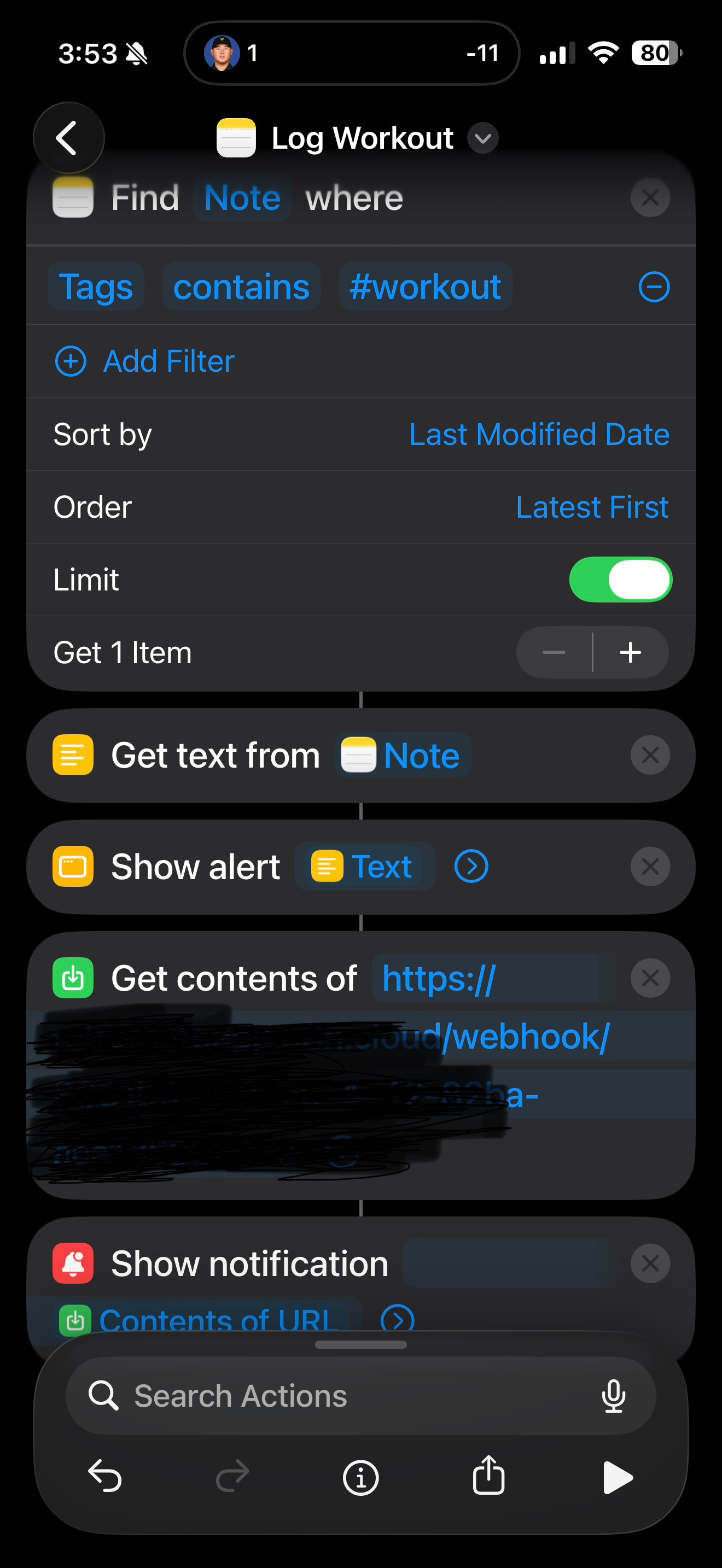
Essentially:
Find note
Get text
Show me text in an alert
Deliver text via webhook to n8n
Notify me that the Shortcut ran
Delivering to the middle man
Shortcuts is the courier. n8n is the processing plant. Apple wouldn’t dream of letting n8n grab the data from my iPhone, so I set it up to wait and receive the info from Shortcuts.
Once there, n8n can take the info and send it on to my Claude Project.
No problem, right?
(Annoying) human issues
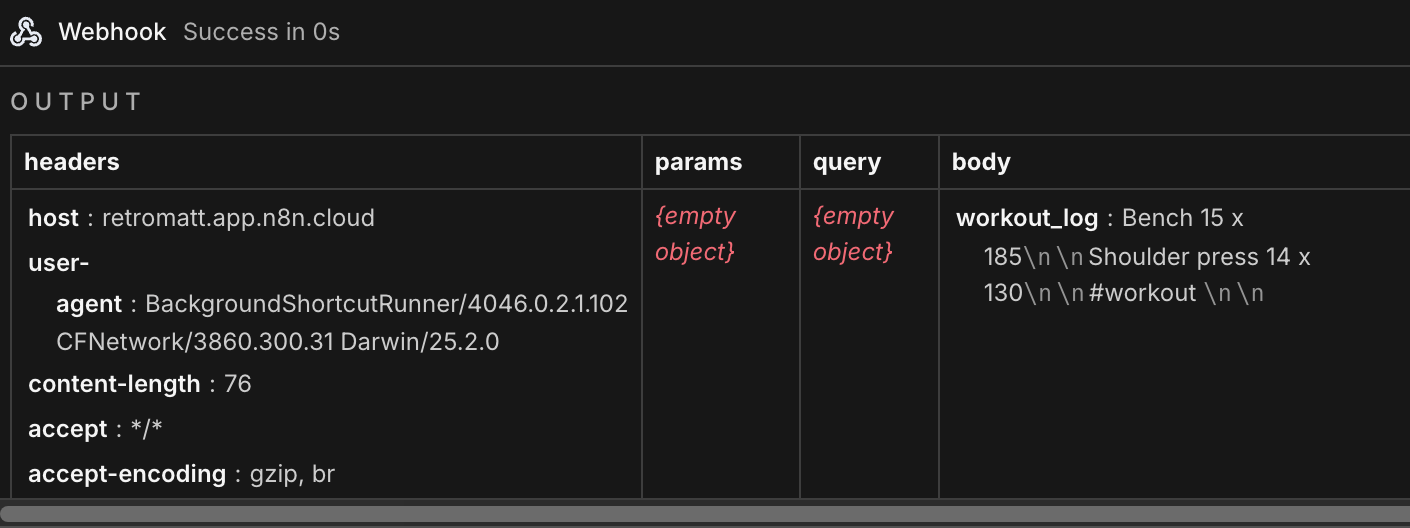
I spent nearly an hour with Claude trying to figure out why n8n was saying the execution worked, but there was no test data in the log.
Poor Claude did every bit of troubleshooting imaginable. Just as it was about to resort to a rain dance, I noticed something.
I was reading the bottom entry on the list, assuming it was the most recent. It wasn’t.
If I had simply clicked on the most recent instance, I would have seen the test data coming through bright and shiny:
Well, well.
When I figured this out, Claude laughed with, not at, me.2
Once again the lesson with no-code building rears its head: it’s not the building that’s hard. It’s the debugging, especially with multiple systems in play.
Even in a simple automation like this one.
Try this
You can build something like this, too. Think of a simple repetitive action you’d like to happen without you. Talk to Claude about it. It won’t laugh at you, even if it should.
Up next — Part Two of this automation: Delivering the data to the Claude Workout Project so it can give me feedback.
Normally, some configuration of issues related to 52-year-old and poorly winterized lower back, right shoulder, upper rib cage, and on and on.